
Go to Insights, choose a class and a topic, and press View.
What You'll See
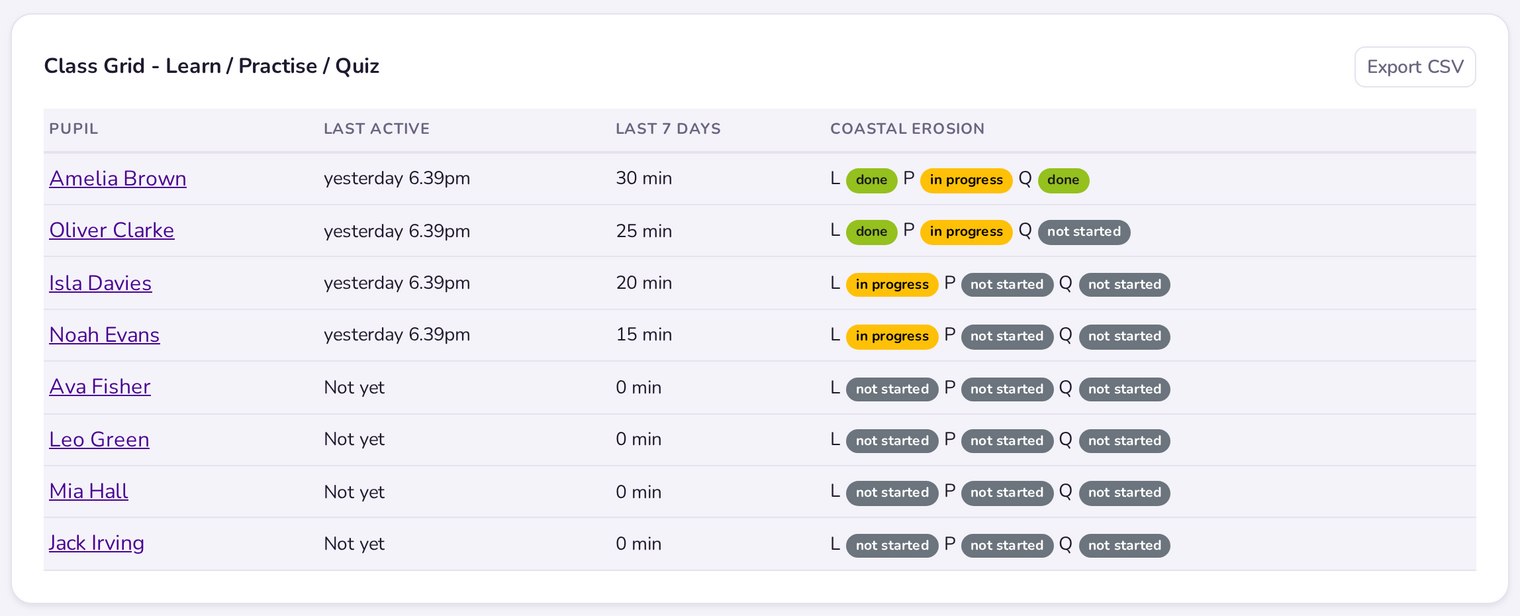
- Class Grid: each pupil's progress through Learn, Practise and the Quiz, with when they were last active.
- Facts the Class Gets Wrong: the facts most often missed the first time, worst first.
- Most Missed This Week: what the class has found hardest lately.
- Improvement: each pupil's first score next to their best. On a topic in parts, the Practise score appears once every part is done, with Parts Done until then.
- Sections Most Pupils Skipped in Learn.
- Engagement: time spent and activity.
- Pupils Who May Need Support: three or more tries with a best score under 50%, or a Quiz never passed.
- Rushed Attempts: much quicker than the class usually takes, with a low score.
Each part has Export CSV, which downloads exactly what's on the screen. Press a pupil's name to see their own page.
Insights only count each pupil's own first and best tries. Retries of the ones they missed, and anything you do while teaching from the board, don't change them.
On a topic in parts, a pupil's first try at Practise is their first go at each part.