
School licences are for up to 30, 100, 250 or 500 pupils, for 12 months, for a whole Key Stage (a pack) or one subject in a Key Stage (such as KS3 History). See Licences, Packs and Places for what each covers.
Paying by Card
- Press Buy Online (on your Dashboard or Licences page, or in our emails). It opens the Oaka Books shop.
- After you pay, your licence code arrives by email straight away.
- In that email, press Add to My School, sign in as your school administrator, and confirm. If your school doesn't use Oaka Digital yet, press Set Up My School instead: it sets up your school and adds the licence in one go.
Paying by Invoice or Purchase Order
- On Licences, press Ask for an Invoice.
- Under Which Licence?, choose each licence you need and its size, or More than 500 with the number of pupils. The packs are listed under Whole Key Stage, and the subject licences under Single Subject.
- Add your purchase order number and anything else we should know, such as who the invoice should go to.
- Press Send My Request.
We send the invoice and add the licence to your school, and your school administrator gets an email when it's active. Your Requests shows what you've asked for.
Adding a Licence Code by Hand
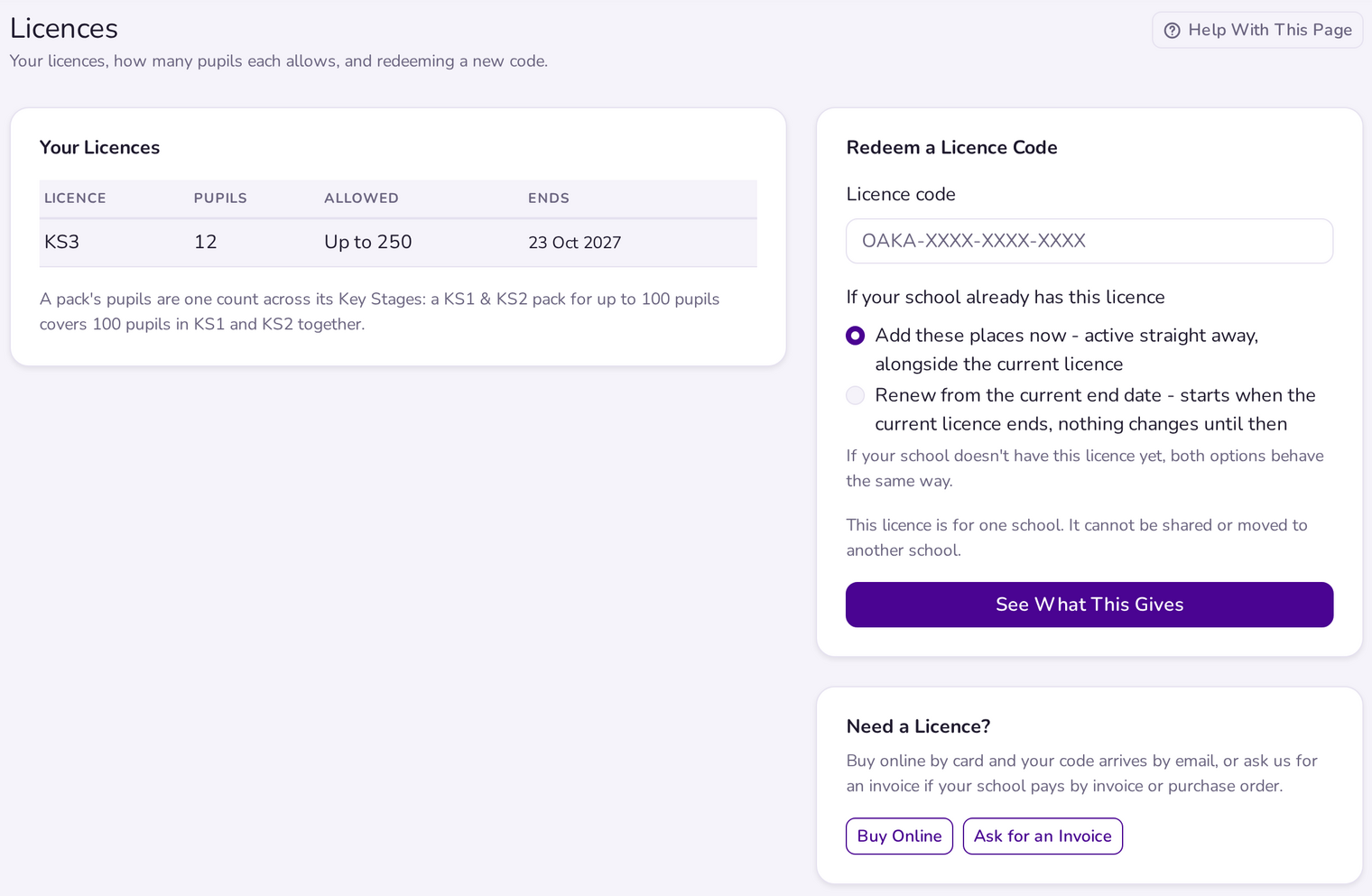
- On Licences, type the code under Redeem a Licence Code and press See What This Gives.
- If your school already has this licence, choose Add these places now (it starts straight away, alongside the current one) or Renew from the current end date (it starts when the current one ends).
- Press Confirm.
Moving Up a Size
If you have more pupils than your licence allows, your Dashboard offers Move Up a Size. It opens Ask for an Invoice with the next size chosen. You pay the difference, and the end date stays the same. Over 500 pupils, we'll send you a quote.
Renewing
Licences don't renew by themselves. We'll remind your school administrator by email before one ends, starting three months ahead so there's time for a purchase order. In its last month your Dashboard shows the date too, with Buy Online and Ask for an Invoice. Buy the same licence again, and when you add the code choose Renew from the current end date, so no time is lost.