A free school trial gives your whole school Oaka Digital for 30 days, so your teachers and pupils can try it properly. There's nothing to pay and no card to enter.
Starting It
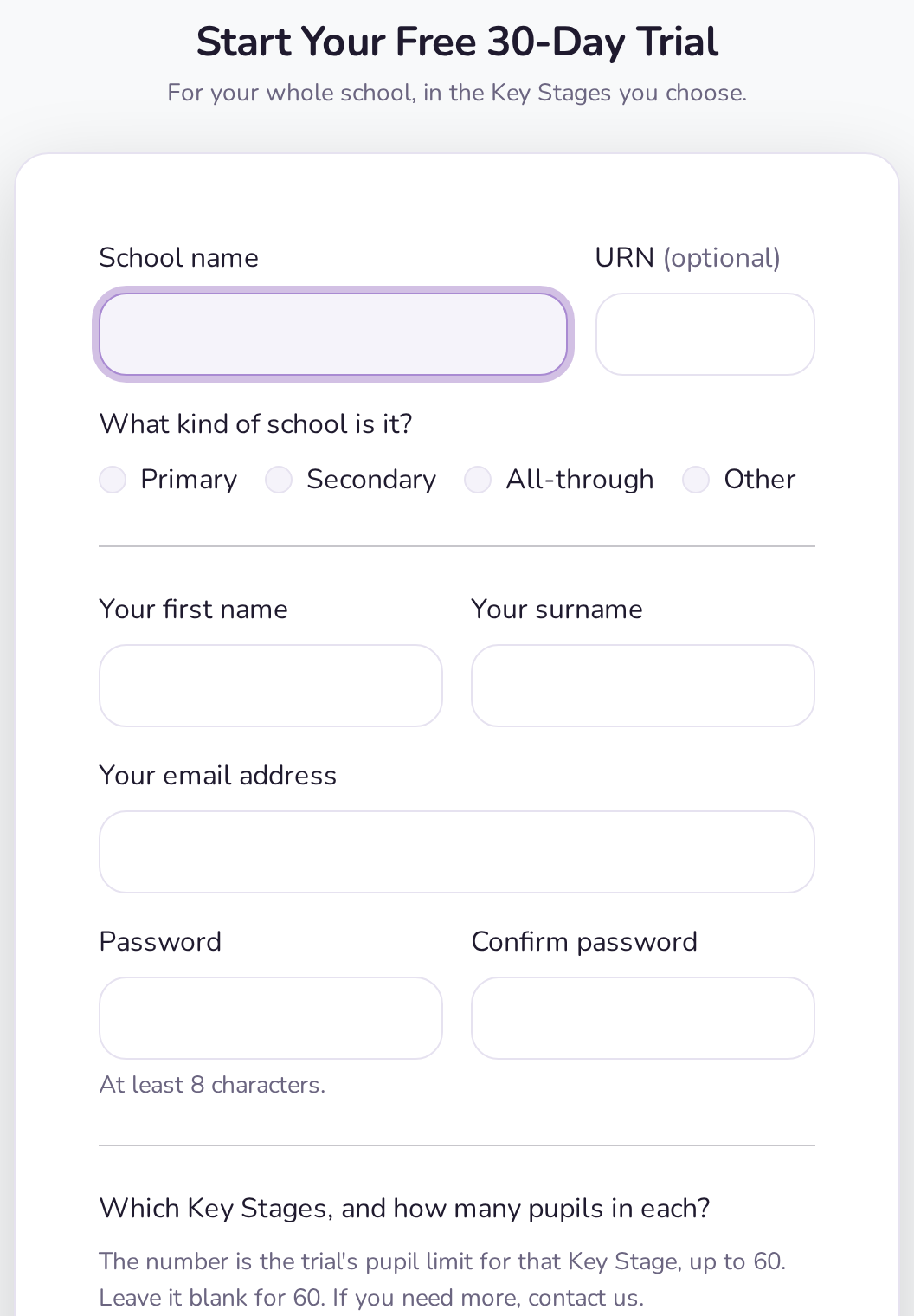
Go to Start Your Free 30-Day Trial and fill in:
- School name, and your school's URN if you know it.
- What kind of school is it? Primary, Secondary, All-through or Other. This tells Oaka Digital your school's final year, so the September rollover knows who leaves.
- Your name, school email address and a password. You become the school's administrator.
- Which Key Stages, and how many pupils in each? Tick the Key Stages you want. The number is the trial's pupil limit for that Key Stage, up to 60. Leave it blank for 60. If you need more, contact us.
Then agree to the School Terms and press Start My Free Trial.
If you asked for a trial through one of our adverts, we email you a link instead: press Start My Free Trial in the email and the form opens with your name, email and school filled in. Use your school email address, then finish the form as above.
There's one free trial per school. If someone at your school has already started one, ask them to add you as a teacher.
During the Trial
Your Dashboard shows Free Trial: N Days Left, with Buy Online and Ask for an Invoice. We'll also email your school administrator two weeks in to ask how it's going (just reply if you need a hand), and to remind them before it ends. If your school doesn't buy, we'll send them one email a week after it ends to ask what you thought. Next, see Getting Started for Schools.
When It Ends
Access to the Key Stages you only had on the trial stops straight away, with no extra days. Your pupils, classes and their progress are kept: buy a licence (for a whole Key Stage, or for the subjects you use) and everyone carries on where they left off. See Buying a Licence.
If your school doesn't go on to buy, we delete its information 12 months after the trial ends, and email your school administrator a month before. See Data Protection for Schools.