The Free Trial
- It lasts 14 days and covers every child in your household and every Key Stage.
- Start it with Start Your 14-Day Free Trial on your Household page.
- If you asked for a trial through one of our adverts, press Start My Free Trial in the email we send you. The form opens with your name and email filled in: choose a password, add your child's name and press Start My Free Trial.
- Each email address can have one free trial.
- About a week in, we'll email to ask how it's going: just reply if you need a hand. We'll email you again a few days before it ends, and when it ends. Your children's progress is kept. Nothing is charged.
- If you don't buy a licence, we'll send one last email a week later to ask what you thought. A line or two in reply really helps.
Licence Codes
A licence code looks like OAKA-XXXX-XXXX-XXXX. You get one by email when you buy Oaka Digital from the Oaka Books shop, or from a reseller.
Tap Use This Code in the email, or press Add a Licence Code on your child's card. Then there are three steps:
- Choose the code. Every code you have that isn't used yet is listed, with what it gives. You can also type a different one.
- Choose the child. Pick one of your children, or add a new child there (their name and school year): they get their own username and password. Adding a child doesn't use the code.
- Check and confirm. Oaka shows exactly what the code gives and for how long. Nothing is used until you press Confirm.
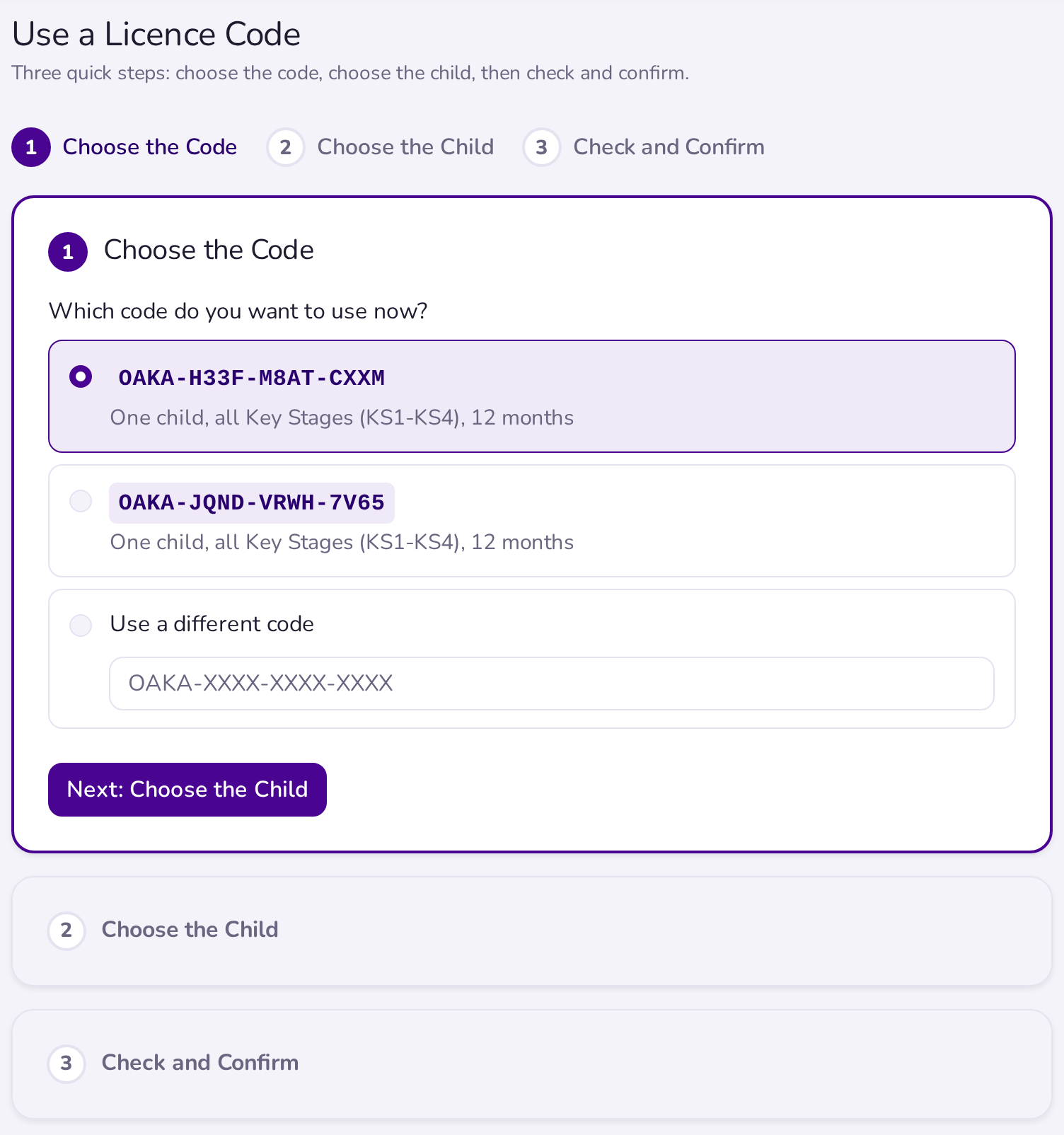
With more than one code, use one for each child: after each one, Use Another Code takes you back to the start.
A licence covers a Key Stage (such as KS3), KS1 & KS2, all Key Stages, or one subject in a Key Stage (such as KS3 History, or KS3 Science for the Biology, Chemistry and Physics topics). Oaka shows exactly what each code gives before you confirm. New topics added to what your licence covers are included at no extra cost.
A licence is for one child, for the length of time shown when you got it. It starts on the day you use the code. It doesn't renew by itself and we never take further payments.
Added a code to the wrong child? Email [email protected] and we'll move it for you.
Codes From a Reseller
If you got Oaka Digital from a reseller, we email you your codes. If you're new to Oaka Digital, that email also has your username (your email address) and a temporary password.
These codes are for your family's account only: they work when you're signed in with the email address they were sent to, so they can't be passed on.
Step-by-step help: Got Your Licence From a Reseller?
- Sign in with them. You'll choose your own password straight away.
- Use each code as above: choose the code, choose the child (or add them), then check and confirm.
Lost the email? Ask the reseller to send it again. If you haven't signed in yet, it comes with a new temporary password.
When a Licence Ends
We'll email you before it ends, and in its last month your Household page shows the date with a Renew button. When it does, that child's access to those topics stops, but their progress is kept, ready for when you renew. If your code came from a reseller, the email tells you how to renew with them.